Multiplayer Pool Online
No download or sign-up. Find an opponent in the lobby or invite a friend. Each player uses their own device.
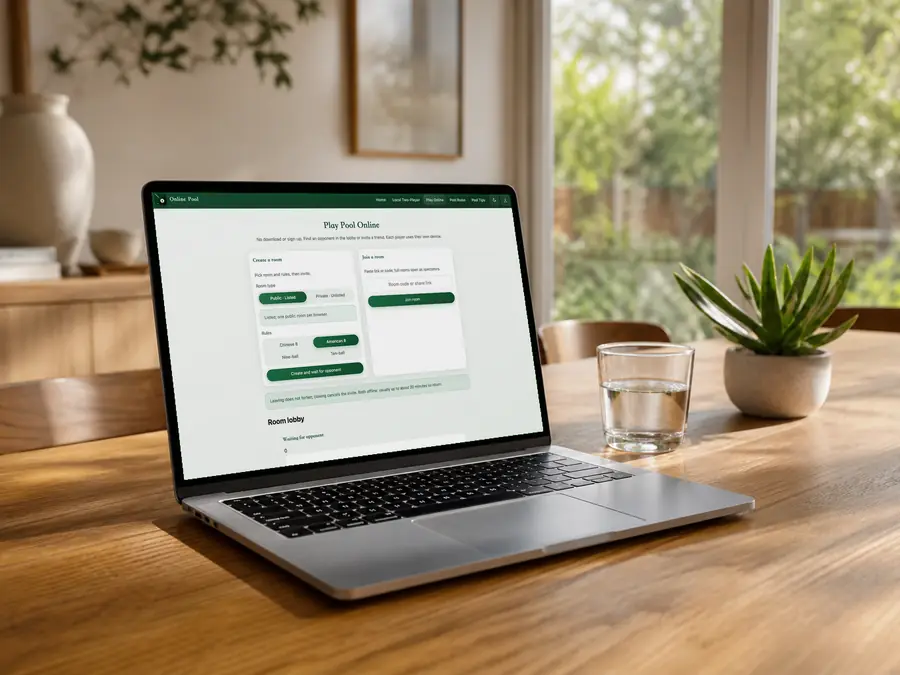
Create a room
Pick room and rules, then invite.
Listed; one public room per browser.
Join a room
Paste link or code; full rooms open as spectators.
Leaving does not forfeit; closing cancels the invite. Both offline: usually up to about 20 minutes to return.
Room lobby
My rooms
0Waiting for opponent
0In progress
0Creating public room…
Assigning a room code.
Public room created
Share the invite. Both seated: play starts.
You break; your opponent follows.
Connection interrupted. Reconnecting…
Join a room
Invite found. Check the code and connect.
Entering the room…
Connecting to room . Please wait.
Connection interrupted. Reconnecting…
Your opponent left the room
Check the connection. A drop does not forfeit.
Connection failed
Room not found. The code or link may be incorrect, or the room may have closed. Check it and try again.
Multiplayer Pool Online
Your turn
Play a Real Opponent: Pot, Position, Continue
Practice your aim against AI; test your pattern play against a person. In 8-ball, the break leaves groups open. Once assigned, legally pocket your own ball to keep shooting. Do not clear every easy ball and leave the rail balls and the 8 stranded. An ordinary foul gives your opponent ball in hand anywhere, often enough to run several balls. Online play has no undo: check the object ball, pocket, and next cue-ball position before committing.
Three Steps to the Break
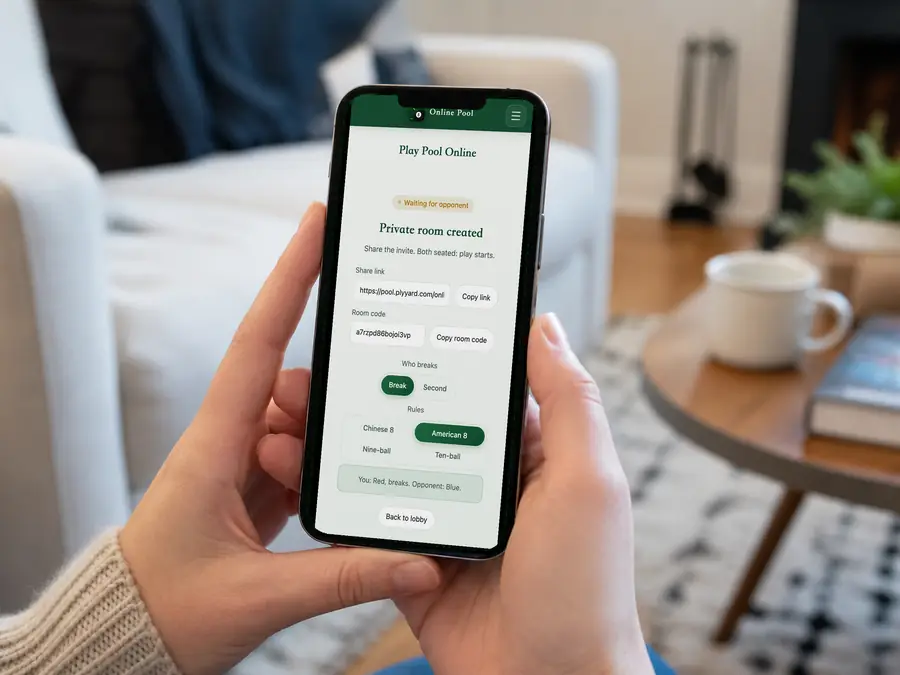
Friends: private. Others: public.
Host picks rules and who breaks.
Use Copy link to send the invite.
Public Opponents or a Private Invite
Public rooms appear in the lobby: join a waiting room or watch a game in progress. There is no automatic matchmaking or ranked ladder. Private rooms stay unlisted, but anyone with the link or code can enter. Send a friend's invite privately. Each browser can host one public room; opening another asks you to close the old one first.
Check Your Seat, Then Your Turn
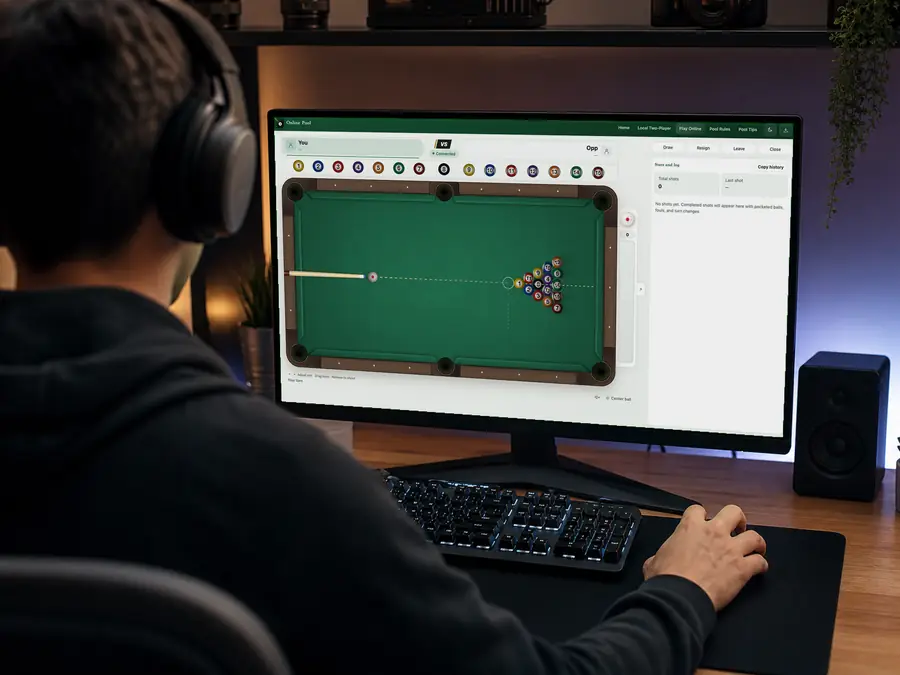
The host chooses who breaks; the guest takes the other seat. Play starts when both are seated. With both seats occupied, new visitors watch and cannot shoot, resign, or offer a draw. Red and blue identify the players, not solids and stripes. Wait for the balls to stop and check the turn and shot log: a pot does not always pass the turn, and a foul is not just a miss.
Reconnect to Return, Resign to Finish
A dropped connection does not immediately forfeit. The page tries to reconnect when the network returns; you can also reopen the same room in the original browser. Both players offline usually leaves about 20 minutes to return, unless the room closes or expires sooner. Resign when you are done, or agree to a draw. Closing the room ends play and cancels its invite.
2Human players
4Rulesets
No accountJoin in your browser
~20 minReturn limit with both offline
Online Pool FAQ
How do we start, and which rules can we choose?
Each player uses their own phone, tablet, or computer. One creates a room, chooses who breaks on the waiting screen, and sends the invite using Copy link. The guest can also enter the room code. English pages default to American 8-ball, with Chinese 8-ball, 9-ball, and 10-ball also available. Only the host can change rules while waiting. Clear your group before the 8; in 9-ball and 10-ball, hit the lowest number first. This site's 10-ball has no called shots; see the rules page for its rulings.
Is a private room restricted to one friend? Which link should I send?
No named guest list or separate password is enforced. Private means unlisted. Use Copy link inside the room, not the address bar of your active game, which may contain your seat-recovery credentials. A forwarded invite can let someone else play or watch. If the guest goes offline, a visitor with the valid invite may take their seat. Send a one-person invitation only to that person.
Why am I watching, or seeing a seat-reconnected message?
New visitors watch when both seats are occupied or the game has finished. To return to your own game, use the original browser and room rather than opening a fresh spectator page. Reclaiming the same seat elsewhere with valid recovery credentials disconnects the old page. Continue in the page that is connected instead of repeatedly opening more tabs.
How long can we reconnect? Can I switch devices?
Restore the network and let the page reconnect, or reopen the original room on the same device and browser. Clearing site data or changing devices does not guarantee recovery of your seat. Both offline usually gives up to about 20 minutes. Other expiry limits also apply: about 30 minutes of inactivity while waiting, 10 minutes after a game ends, and 3 hours of inactivity during play. Closed or expired rooms cannot be restored with an old link.
How do leaving, resigning, offering a draw, and closing differ?
Leave room disconnects you without an automatic loss; return before the room expires. Resign awards the win to your opponent. An offered draw only ends the game when the opponent agrees. Only the host can close a room, ending play, disconnecting everyone, and cancelling the invite; that is not a resignation. Online play has no undo. To finish a match, resign or agree to a draw instead of closing the room to avoid a result.